

How to connect the Wi-Fi Internet
Q
How to connect the Wi-Fi Internet
A
The steps for connecting to the Internet wirelessly (Wi-Fi) are as follows:
SSID(network name) and password are displayed on the right top of the home screen if you have an Internet contract(Standard plan/ Basic plan/ Light plan).
※SSID (wireless name) and password can not be changed.
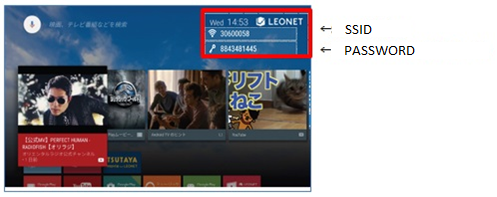
Please search SSID (wireless name) in your device such as smart phone, tablet, PC, etc., and enter the password.
(Up to 8 devices can be connected at the same time)
Wi-Fi connection from Life Stick can be used without authentication screen requiring LEONET ID and password.
※Authentication screen will be displayed when you connect the LAN cable to your device directly.
Was this question/answer helpful?