

Smartlock. The smartlock panel lights keeps flashing red or the device keeps restarting, even after replacing the batteries.
Q
Smartlock. The smartlock panel lights keeps flashing red or the device keeps restarting, even after replacing the batteries.
A
The software/firmware version of the Smartlock may be in an old version causing the issue.
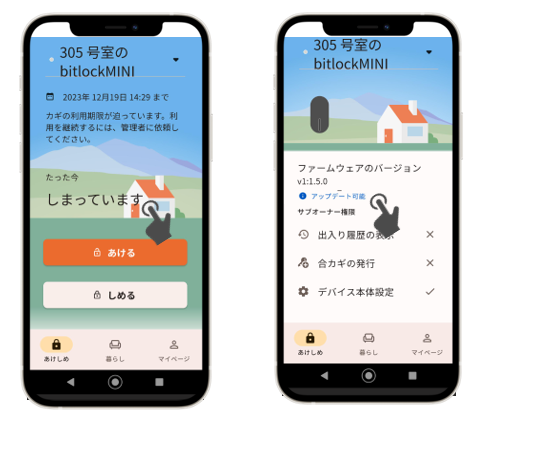
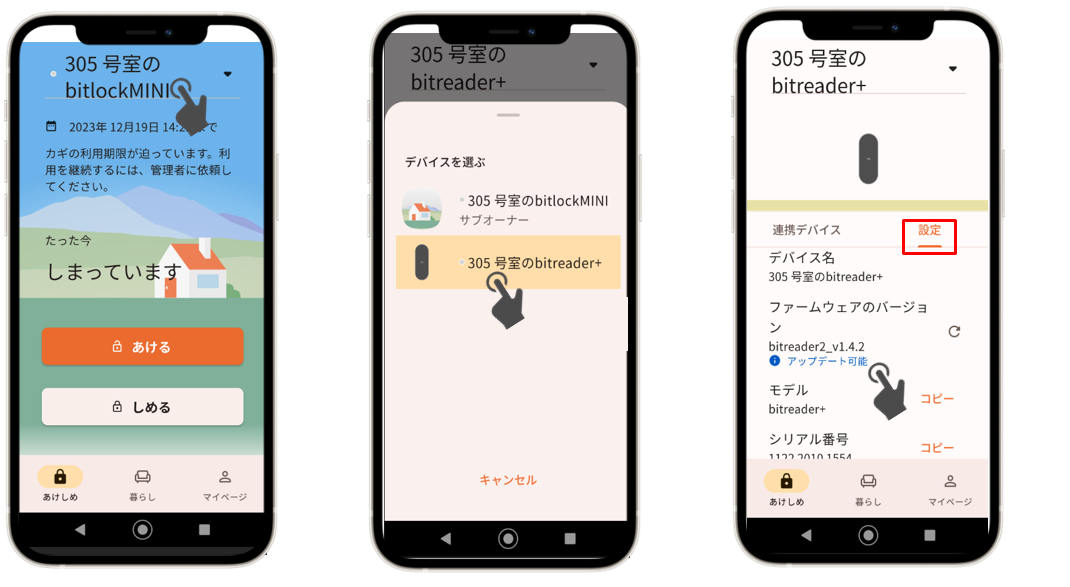
Follow the instructions below to check the current version of the smartlock and if it needs to be updated.


Was this question/answer helpful?