

Please tell me how to check the auto-lock setting for my smart lock
Q
Please tell me how to check the auto-lock setting for my smart lock
A
You can check the auto-lock setting status of your Smart Lock using the HomeHub app.
Please check below for instructions on how to do the settings.
《How to check the auto-lock setting status》
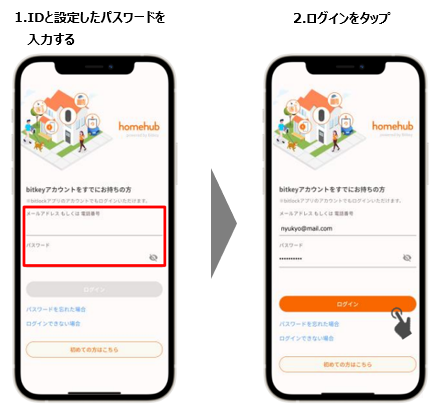
1) Log in to the HomeHub app.
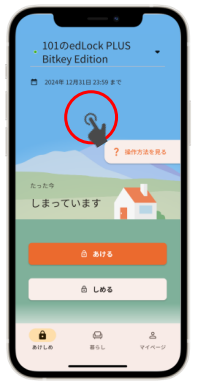
2) Tap or swipe upwards on the top of the illustration on the screen.
3)Open the "Settings"「設定」 tab and check the Auto-Lock settings.
▶ If the setting is "On"
When the door is closed, it will automatically lock using the auto-lock function.
※Always carry your smartphone with you when you go out.
▶ If the setting is "Off"
The door does not lock automatically when closed.
Lock it using the smartphone app or the passcode you set.
Regardless of the auto-lock setting, be sure to set an "unlock passcode" just in case.
Was this question/answer helpful?