Please tell me how to set up the HomeHub app if I'm using a smart lock for the first time
Please tell me how to set up the HomeHub app if I'm using a smart lock for the first time
If you are using a Smart Lock for the first time after signing a contract for a room, you will need to install the HomeHub app and make various settings.
Please check 1. to 4. below for various setting procedures from preparation before entering the room until entering the room.
《Preparation up to 2 days before moving in》
1) Please prepare a smartphone on which you can install the app required for setting up the Smart Lock.
2) Please make sure to set up your email and SMS to receive e-mails at least two days before your move-in date.
・ For email, please make sure you have set it up to receive emails from "@mail.bitkey.cloud".
・For SMS (Short Message Service), docomo, au, and Rakuten users should set their phone to receive notifications from "05031838851," while SoftBank users should set their phone to receive notifications from "242178."
〈Smart Lock Account Setup Procedure in the Day Before Moving In 〉Video Explanation
《Smart lock account setup procedure the day before moving in》
1. Around 10:00 a.m. on the day before you move in, you will receive an email from Leopalace to the email address or mobile phone number you provided when signing the contract.
2. Access the URL provided in the move-in information email.
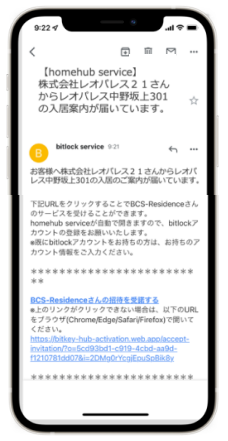
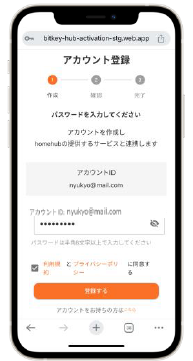
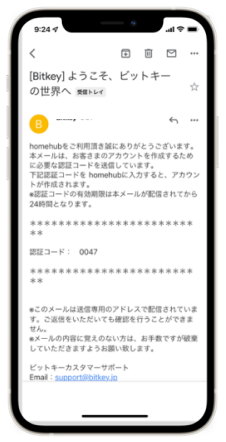
5. Enter the verification code within 24 hours of receiving it.
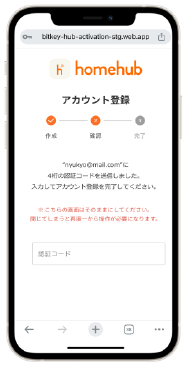
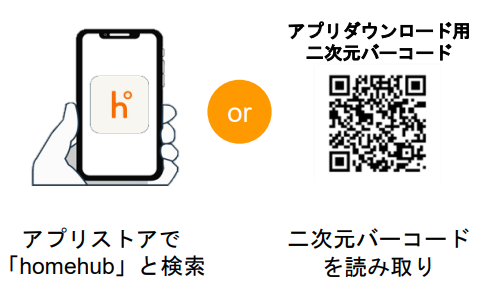
6. Install the homehub app.
※Make sure to set Bluetooth to ON on both the app and your smartphone (if you are using Android OS, make sure to also set the location information setting to ON on both the app and your smartphone).
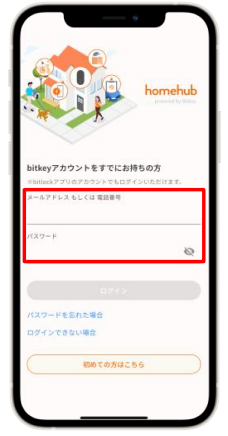
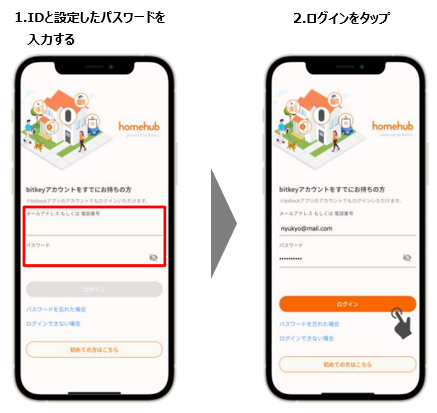
7. Enter the ID and the password you set.
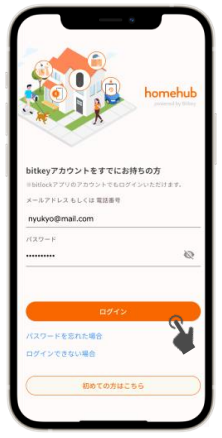
9. Once you have logged in, the homehub app installation is complete.
If you are unable to install the software, please let us know using the Equipment Repair Request Form.
If emergency attendance is required, we also accept requests over the phone.
〈Inquiries regarding keys〉
TEL: 0570-048-021
(Press number 1 for English)
《How to unlock the smart lock when entering the room for the first time》
1. If you have already registered an account, your keys will be delivered to your HomeHub app on the day you move in.
2. Log in to the Homehub app
3. Hold your smartphone within 10cm of the door and make sure it displays "Closed" 「しまっています」and "Open"「あいています」
4. Tap "Open" to unlock.
※Make sure to set the Bluetooth setting on both the app and your smartphone (if you are using Android OS, make sure to also set the location information setting on both the app and your smartphone).
※If "Not connected"「未接続」 is displayed, check the settings on your smartphone, bring your smartphone within 10 cm of the door, and try again.
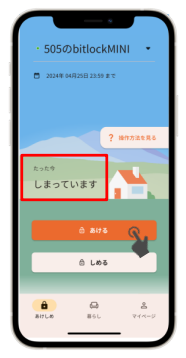
5. After unlocking and entering the room, you will need to set up the app.
Return to the previous option button and check "4. Steps to set up smart lock after entering the room."
If the key does not arrive on the app on the day of moving in, or if you cannot unlock the door with the key you received,, please let us know using the Equipment Repair Request Form.
If emergency attendance is required, we also accept requests over the phone.
〈Inquiries regarding keys〉
TEL: 0570-048-021
(Press number 1 for English)
《Homehub app setup procedure after entering the room》
1. Check the auto-lock setting.
2. Register a passcode.
This completes the basic settings.
Please see below for how to check and register your settings.
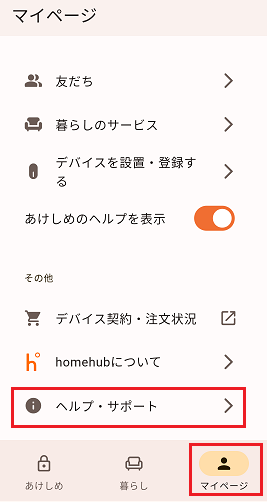
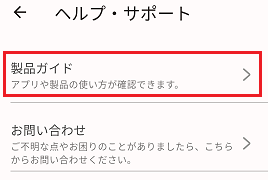
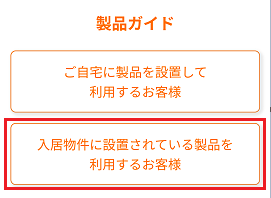
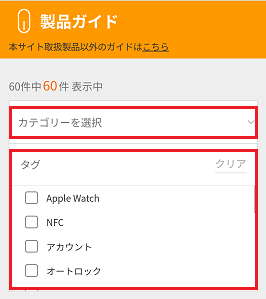
You can check the product guide and other usage instructions from the homehub app.
《Product Guide Check Procedure》
1. Tap "My Page"「マイページ」 in the homehub app, then tap "Help & Support"「ヘルプ・サポート」