

About CRT TVs and terrestrial digital tuners
About CRT TVs and terrestrial digital tuners
For CRT televisions and terrestrial digital tuners, please select the product you would like to check from the list below.
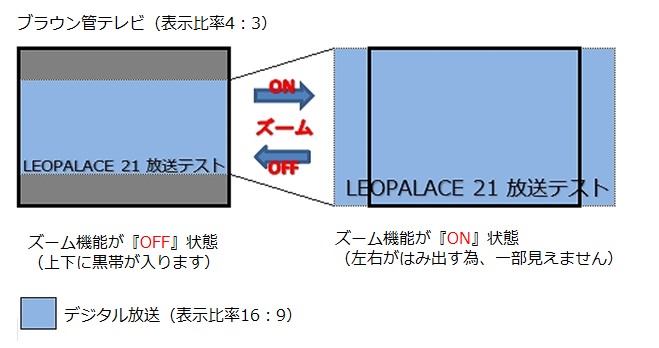
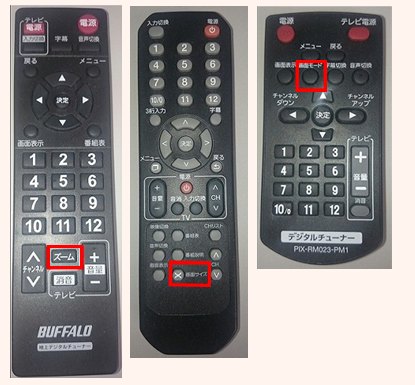
Depending on the manufacturer of your terrestrial digital tuner, the zoom function may be enabled, so try disabling the zoom function using your remote control.
※The buttons on the tuner remote control include "zoom," "screen size," and "screen mode."
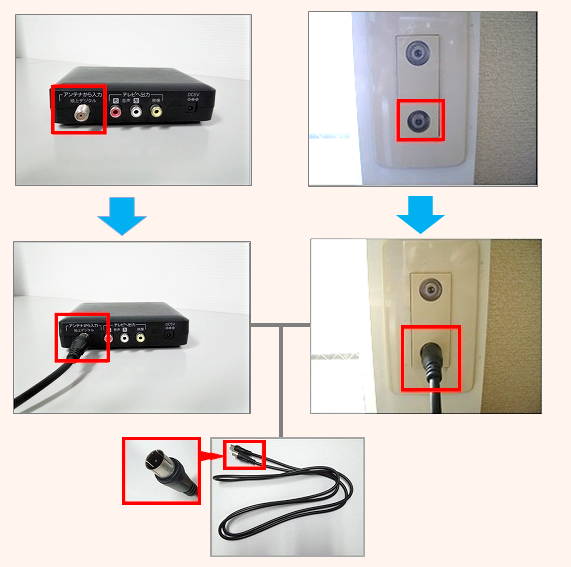
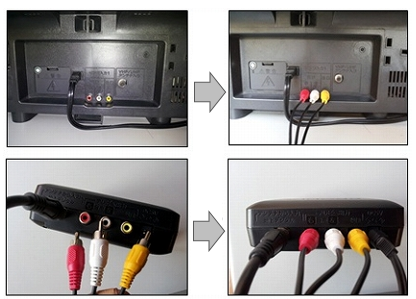
〈Antenna cable connection location〉
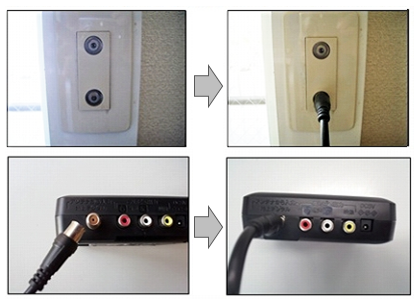
〈How to connect a terrestrial digital tuner to a CRT TV〉
1. Connect the indoor antenna terminal to the digital terrestrial tuner with an antenna cable.
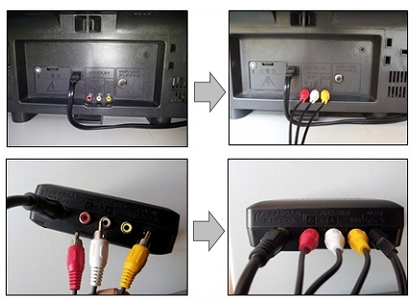
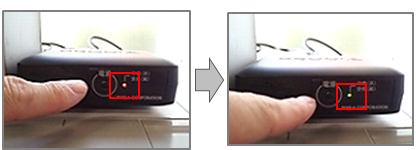
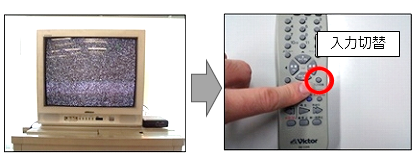
If you have tried the above and are still unable to see the image, please let us know the manufacturer, model number and detailed symptoms of your terrestrial digital tuner using the Equipment Repair Request Form.
〈How to connect a terrestrial digital tuner to a CRT TV〉
1. Connect the indoor antenna terminal to the digital terrestrial tuner with an antenna cable.
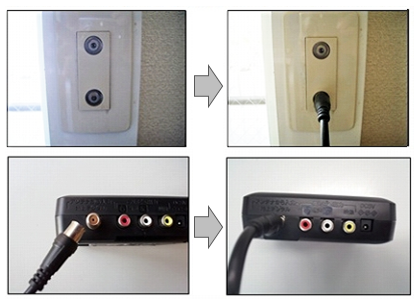
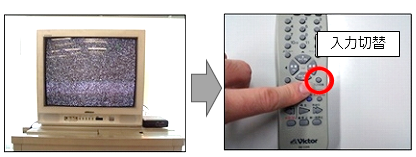
If you have tried the above and are still unable to see the image, please let us know the manufacturer, model number and detailed symptoms of your terrestrial digital tuner using the Equipment Repair Request Form.
You can operate your TV by setting up the remote control for your terrestrial digital tuner.
Please check the instruction manual for your terrestrial digital tuner and register the setting number assigned to your TV manufacturer.
The instruction manual for the installed terrestrial digital tuner can be found on the website of each manufacturer.
We have listed some of the most common manufacturers, but if your product is not listed below, please contact us using the "Contact form" , entering the manufacturer and model number of the tuner itself.
※Please note that there may be cases where the instruction manual is not available.
If your terrestrial digital tuner does not turn on, please check the following.
1. Check that the power cable for the digital terrestrial tuner is plugged into an outlet.
If the power plug is unplugged from the outlet, plug it back in and check that the power turns on.
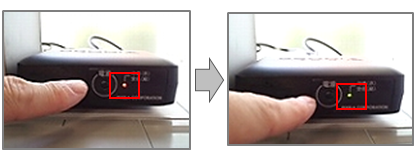
2. Turn the power back on for the terrestrial digital tuner and check that the green light on the unit is lit.
If a lamp other than "green" is lit, press the power button on the tuner again and check if the "green" lamp lights up.
3. Turn off the power to the terrestrial digital tuner, unplug the power cord from the outlet, plug it back in, and then turn the power back on.
If the above does not improve the situation, please let us know the manufacturer, model number, and detailed symptoms of your terrestrial digital tuner using the Equipment Repair Request Form.
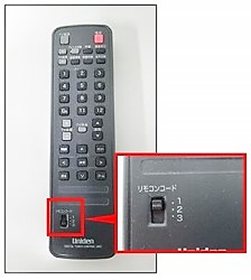
4. Replace the batteries in the remote control with new ones.
If you have tried the above and are still unable to operate the remote control, please let us know the manufacturer, model number and detailed symptoms of your terrestrial digital tuner using the Equipment Repair Request Form.
The instruction manual for the terrestrial digital tuner can be found on the website of each manufacturer.
We have listed some of the most common manufacturers, but if your tuner is not listed below, please contact us using the "Contact Us" form, entering the manufacturer and model number of the tuner unit.
※Please note that there may be cases where an instruction manual is not available.