

I cannot update the &Leo app. What should I do?
Q
I cannot update the &Leo app. What should I do?
A
For users of Android devices, there may be cases where the update for the &Leo app is displayed but cannot be performed.
◇Updating directly from the Google Play Store
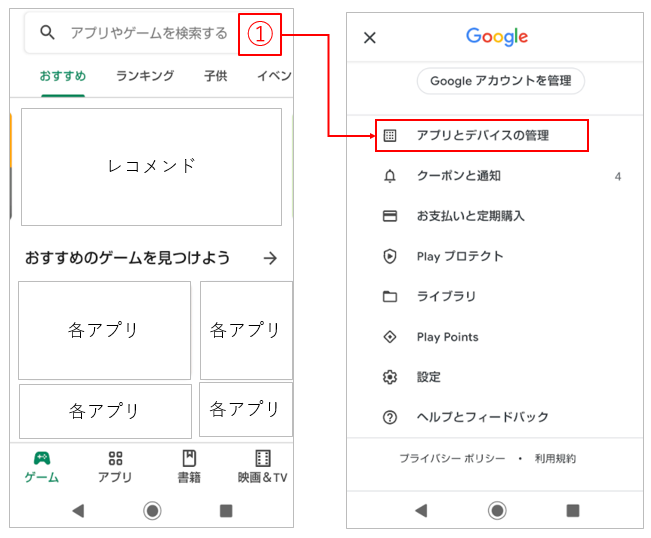
1) Select "Google Play Store" on your Android device, and then choose the part labeled '1)' where your icon is displayed at the top of the screen. After selecting it, choose 'Manage apps and devices.
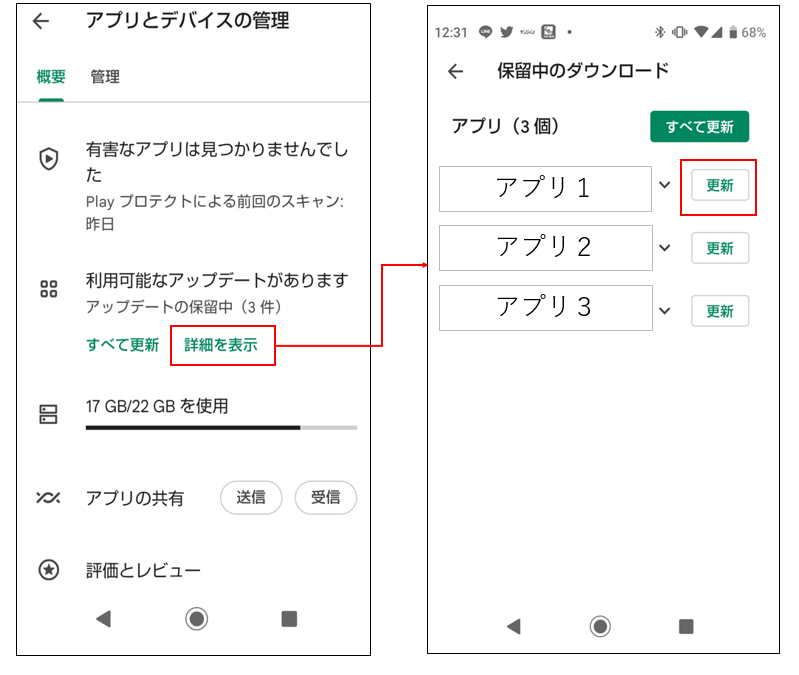
2) Next, select 'See details' under 'Updates available.' After selecting it, a list of apps with available updates will be displayed. Please select the 'Update' button next to the app and check if the update can be performed.
Was this question/answer helpful?