

Regarding the Auto-Lock Gate.
Regarding the Auto-Lock Gate.
Instructions for the Auto-Lock Gate.
①【On the building entrance's interphone】
Type the 「Number of the room」, then press 「Call "呼出"」.
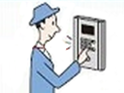
②On the entrance's interphone with camera:
「Talk 通話」:Press the talk "通話" button.
「Unlock 解錠」:Press the unlock "解錠" button.
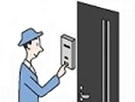

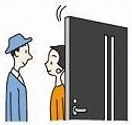
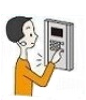
①【On the building entrance's interphone 】
Press 「#」, then type the 「Security code」.
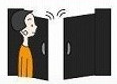
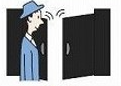
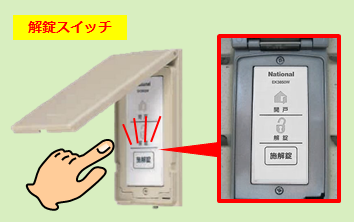
Close to the gate, you will find the unlock "解錠" switch:
↓
Once pressed, the gate will unlock and open automatically.(Once closed it will lock automatically)
【 Inside the room: 】
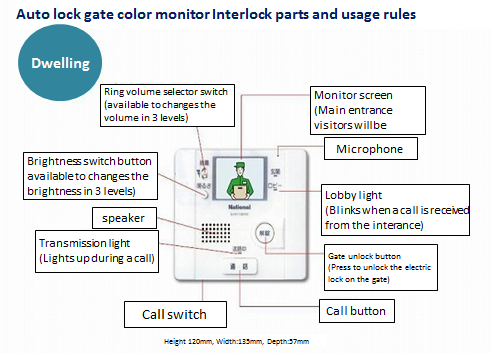
※ Check more details on the "Switch Call" button (通話切替) here.
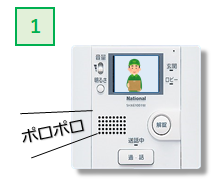
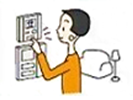
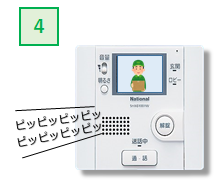
You will hear the sound of the "bell" and the monitor image once the visitor calls for your room.
⇒You can change the brightness of the monitor with the brightness switch.
⇒After the bell is ringed, the monitor will display the image from outside for 30 seconds.
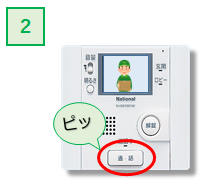
After the interphone ringed, press the call "通話" button.
⇒The image of the visitor will be shown on the screen.
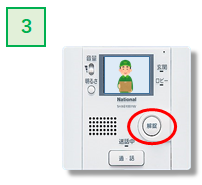
Two settings mode:
By turning the press-to-talk switch of the call setting, you can choose the call mode:
・ Hands free mode:
Press the call button only once to have a continuous call.
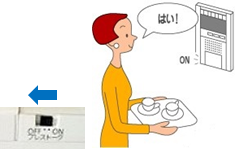
※Leave the call setting mode on the Off position.
・Press to talk mode:
If do not want to transmit the sound all the time, you can set to only talk while pressing the button.
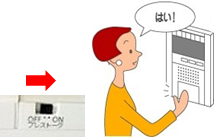
・ ※Leave the call setting mode on the ON position.
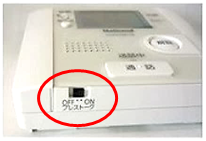
※The press to talk switch will be on the lower side of the interphone.
Regarding the security code (password) for the Auto-Lock Gate.
For the security code to open the Auto-Lock Gate, you can check the document "Instruction on the use of the room"「ご利用についてのご案内」 given along with the contract. (On contracts under the name of companies, we hand the document to the responsible on the company.)
You can also check the document given along with the keys of the apartment.
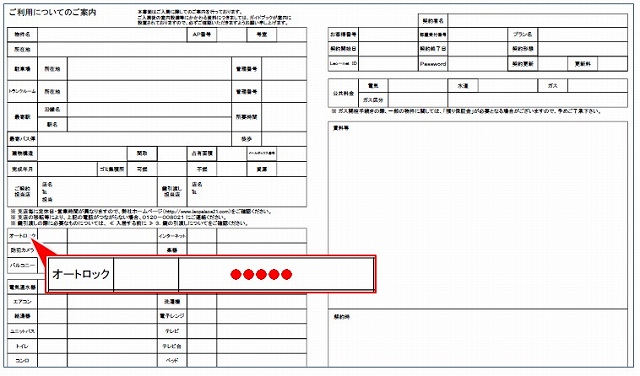
The code will be shown on the Auto-Lock (オートロック) information.
Auto-Lock Gate for the LEOLOCK apartments (First time using).
Use the 6 digits One time password given by the branch to unlock the gate:
※1 The [One Time Password] will be unable to open the gate after it expires.
※2 The [One Time Password] and the [Registration Code] are different numbers.
Auto-Lock Gates equipped with the LEOLOCK
【 How to open the gate the first time: 】
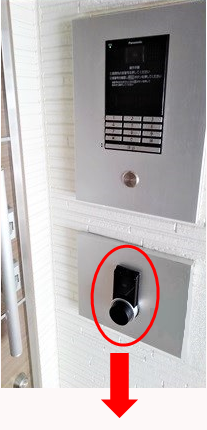
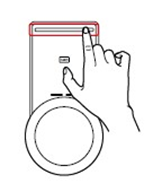
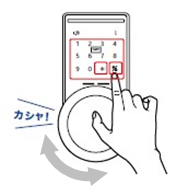
After opening the Auto-Lock Gate, register the LeoLock card key of your room.
After registering your card key(s) you will be able to unlock the Auto-Lock Gate with the registered card keys/smartphone or any other registered device.
Check here how to register your card keys.
How to use the Auto-Lock Gates that has the LEOLOCK device.
【 How to unlock with the card key: 】
① Press the Wake Up button and touch the reader with your card key.
② After the unlocking sound, turn the knob to the unlock side.
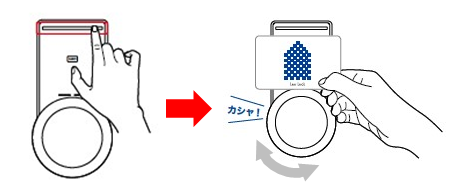
【How to unlock with a registered smartphone:】
① Press the Wake Up button and touch the reader with the smartphone.
② After the unlocking sound, turn the knob to the unlock side.
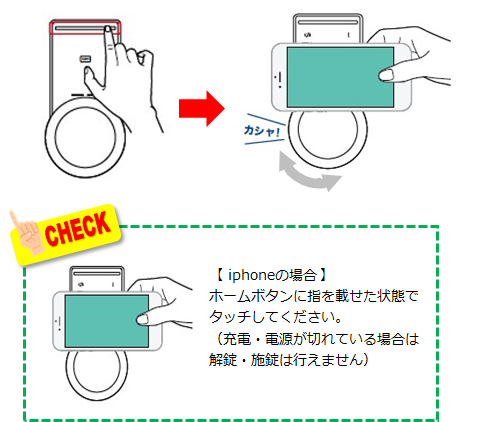
Some iPhone (iOS) smartphones may need to hold down the "Home" button to be activated.
(These devices are not able to open the door/gate if the battery runs out.)
Common questions and problems with the Auto-Lock Gate.
If you can hear the person outside normally, the press-to-talk function in the interphone must be on.
When the switch for the press-to-talk is on the 「ON」 side, you need to hold down the call "通話" button for the person outside to hear you. You can disactivate it by switching to 「OFF」.
※The press to talk switch will be on the lower side of the interphone.
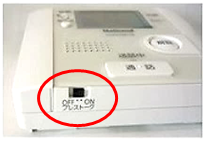
If it still not work even by switching to the 「OFF」 position on the interphone, please file the details of the interphone and the problem on our 『Inquiry Form』 .
Please, report the details of the problem on our 『Inquiry Form』 .
After verifying the local, we will request the necessary repairs for the gate.