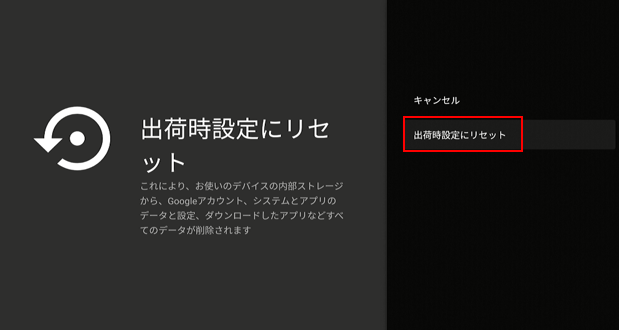
LifeStick Factory Reset Method
LifeStick Factory Reset Method
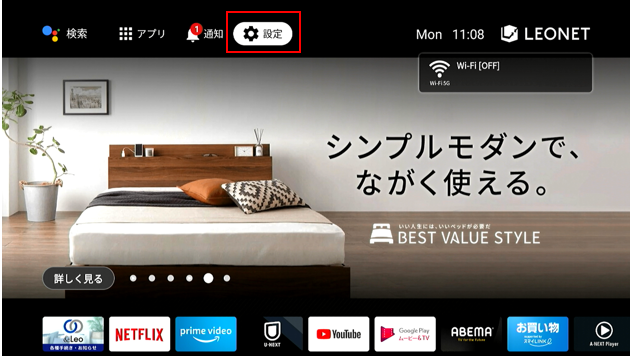
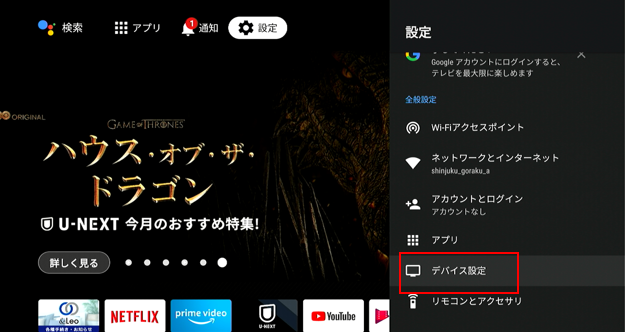
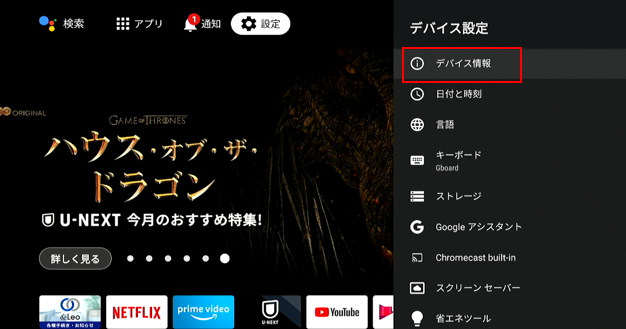
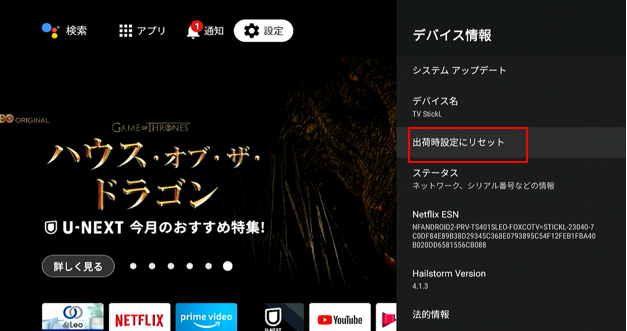
The steps for initializing the LifeStick are as follows:
※Please be aware that by performing the reset to factory settings, you will need to log back in using your LEONET ID and password during the initial setup.
Therefore, please make sure to have your LEONET ID and password before proceeding.
With the instructions below, you can reset the Life Stick back to the factory settings:
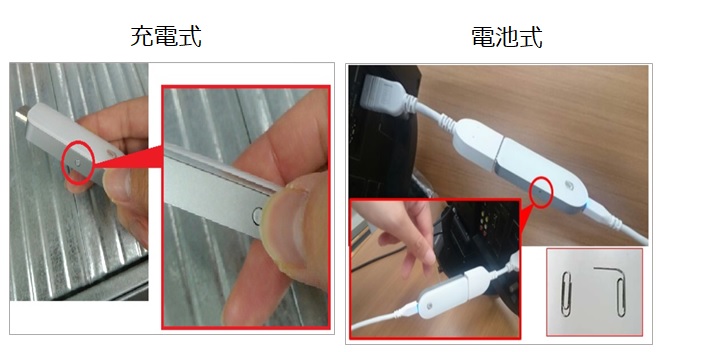
■ Model of LifeStick with a rechargeable controller ・・・Long press the small button on the side of the LifeStick main device for more than 5 seconds.
■ Model of LifeStick with a battery controller・・・Hold down a clip head or a pick in the small opening on the side of the main device for 5 seconds.
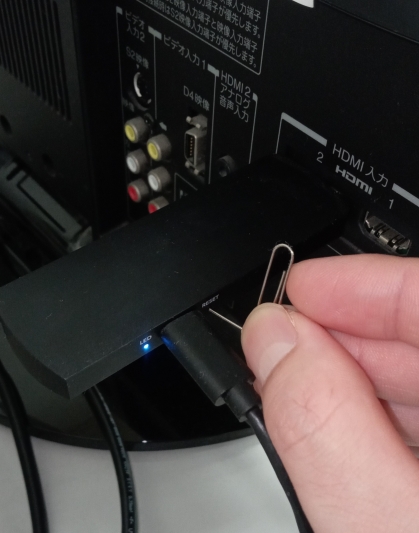
※ Please connect the device to the TV's HDMI port and ensure it is powered on before performing the above operations. Hold down the button until a message appears on the top screen.

For instructions on how to log into an already created/changed Leonet ID and Password,click here.