

The initial LEONET ID and Password numbers are being rejected during the initial settings.
The initial LEONET ID and Password numbers are being rejected during the initial settings.
If your were living in another LeoPalace managed building, you can also use your old LEONET ID and Password in the new apartment.
For more details regarding the use of previous account, check here.
If you are using the initial LEONET ID and Password for the first time after entering a new room and is being rejected when registering in the &Leo app,
the previous tenant under your company contract may have already used the initial ID and Password for the room.
In the case explained above, the new tenant must create a new account using the LifeStick on the TV in the room. Check the instructions below:
① Connect the LifeStick into the TV in the room.
Check how to properly connect the Life Stick here.
② Complete the initial settings with the LifesStick on the TV to start using the services.
For the pairing method to synchronize the controller and the LifeStick, check here.
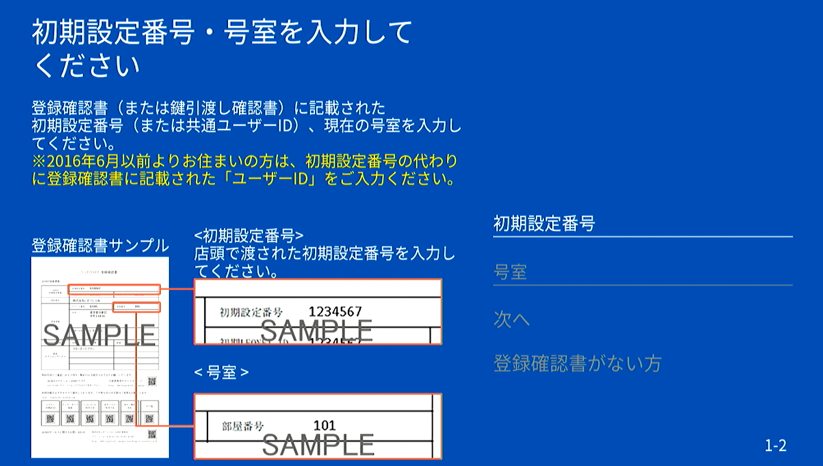
③ Initial settings:
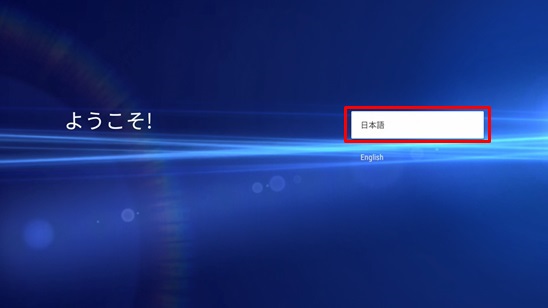
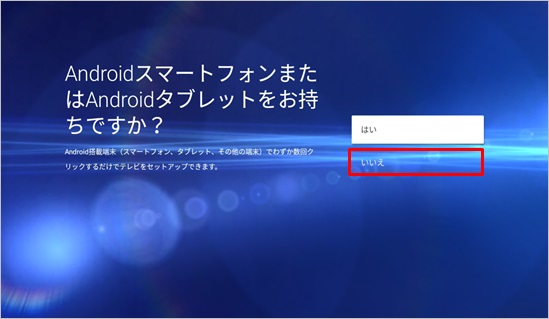
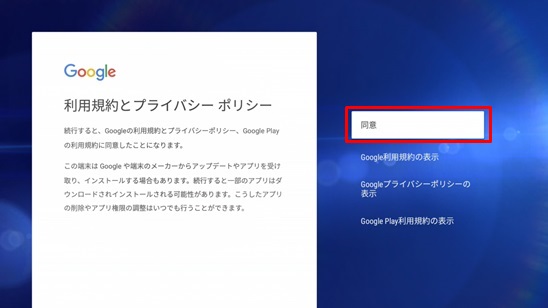
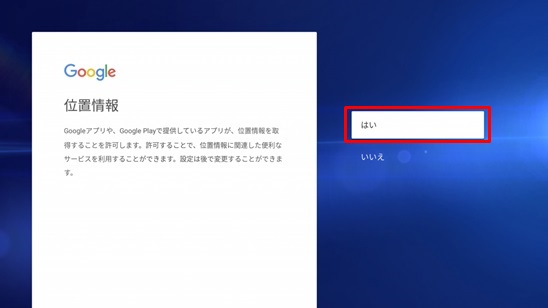
After pairing the controller and the device as instructed above, you will be able to select the language for the Google configuration.
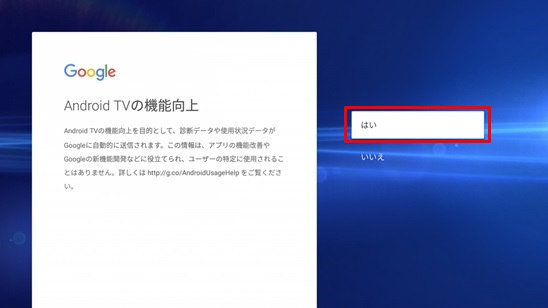
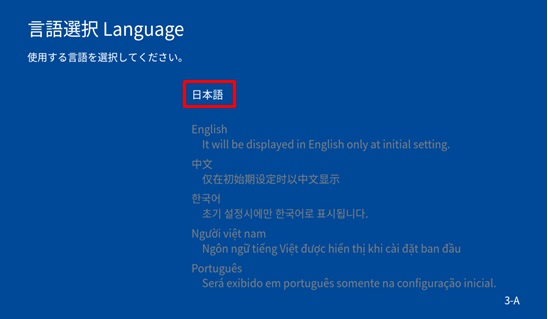
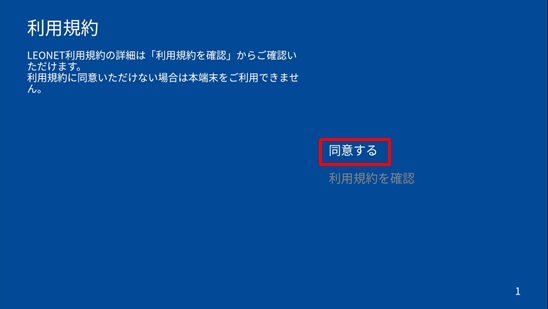
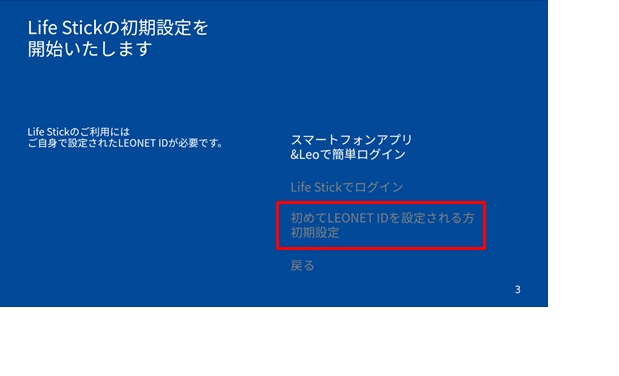
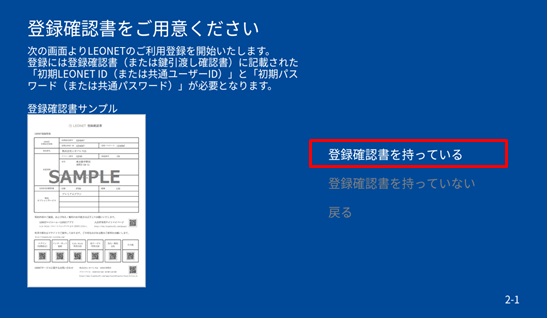
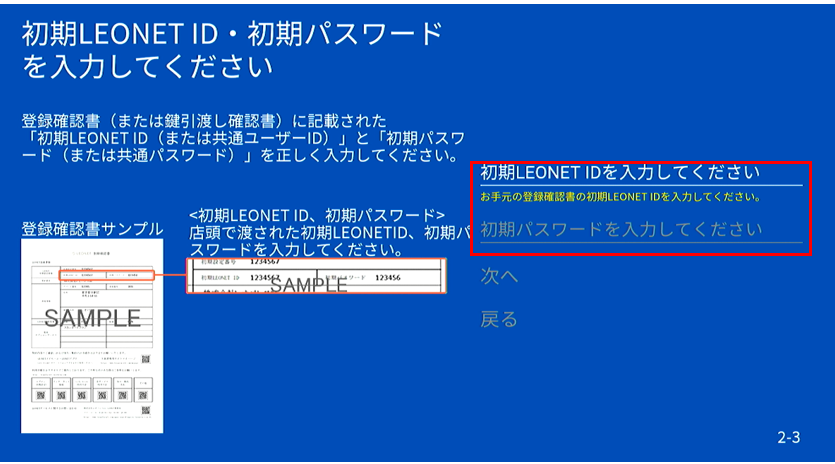
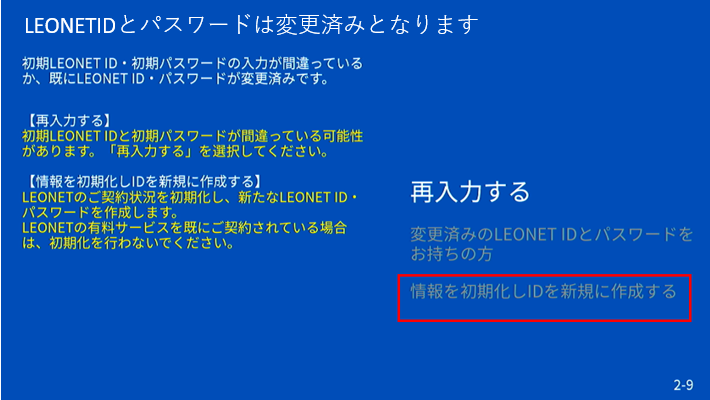
⑪ A warning explaining that the initial LEONET ID and Password has already been used will be displayed.
Select the option "Reset the information and create a new ID".
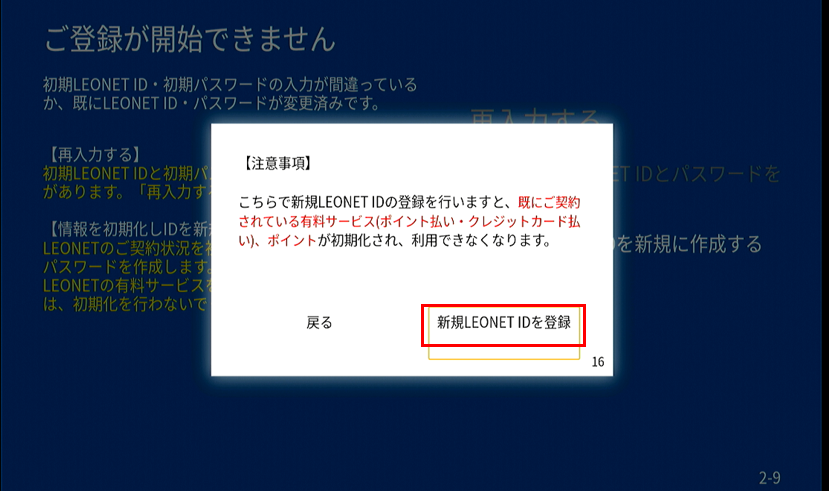
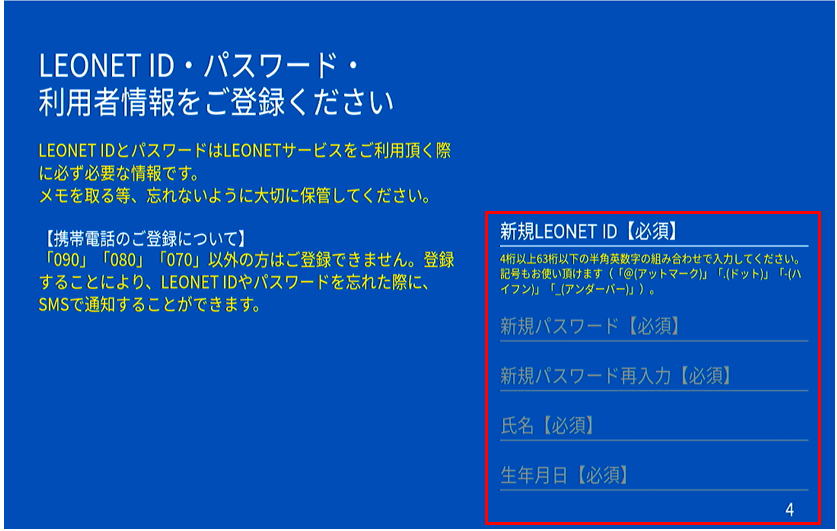
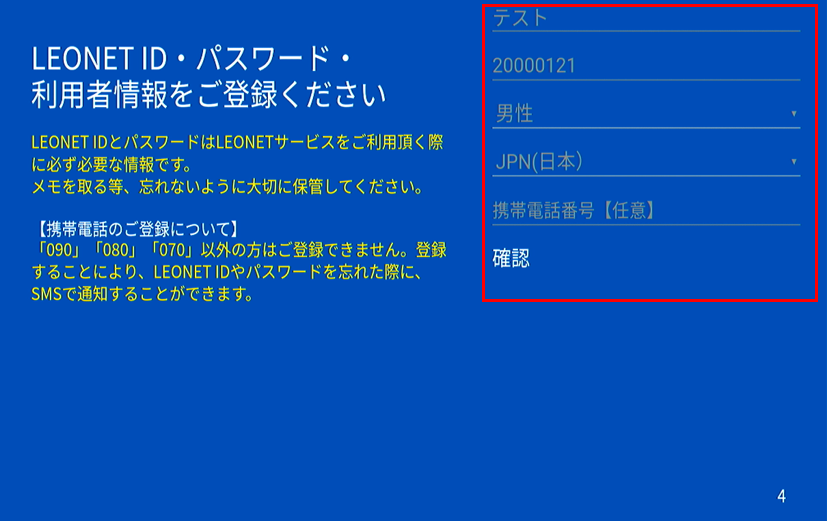
⑬ The screen to register your account information. You can set your own LEONET ID and Password. This ID and Password will be needed when using the Internet services in the room. You may take notes of the registered information to not forget later, when needed.
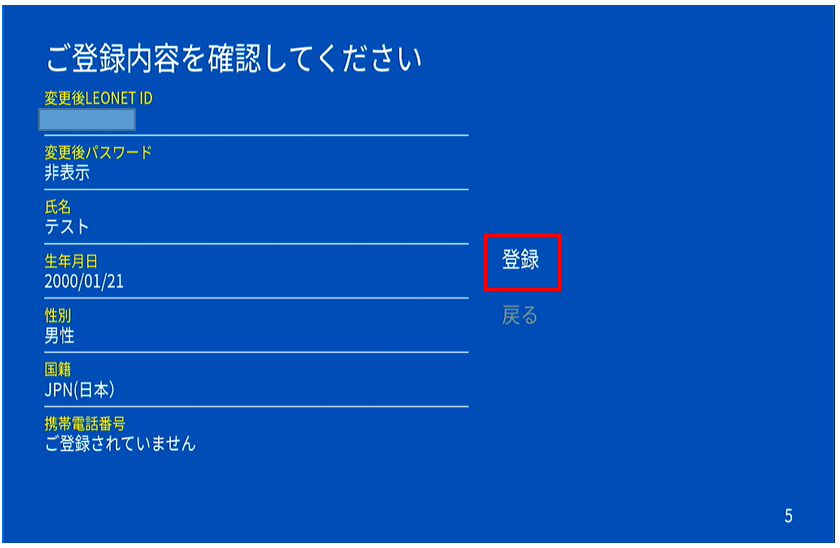
After inserting your information select Confirm.
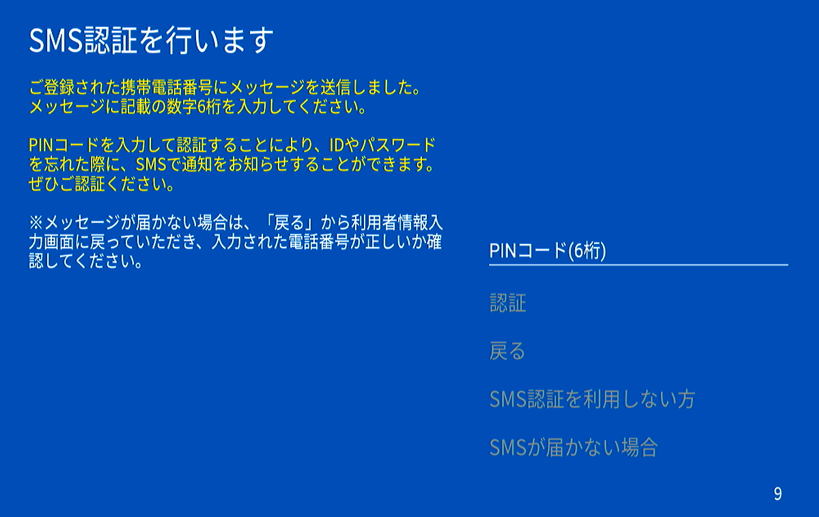
⑮ A short mail message will be sent to the phone number registered for the account on the step ⑬ with a PIN code to authenticate it for your account.
Check the SMS, write the 6 digits PIN code and select authenticate.
※Registering the phone number will allow you to recover the LEONET ID or Password in case you forget.
※If you did not register a normal Japanese number (starts with 070, 080 or 090) you will be moved to another screen and will be asked to register a secret question.
If you also want to use the &LEO app, you can now use the LEONET ID and Password created in the procedure above to login.